iPhone & iPad
Time is the only currency you can’t earn more of.
Taskrix asks two questions about each task, then tells you the one thing no other task app will: how much of your week you actually chose, and how much of it chased you.
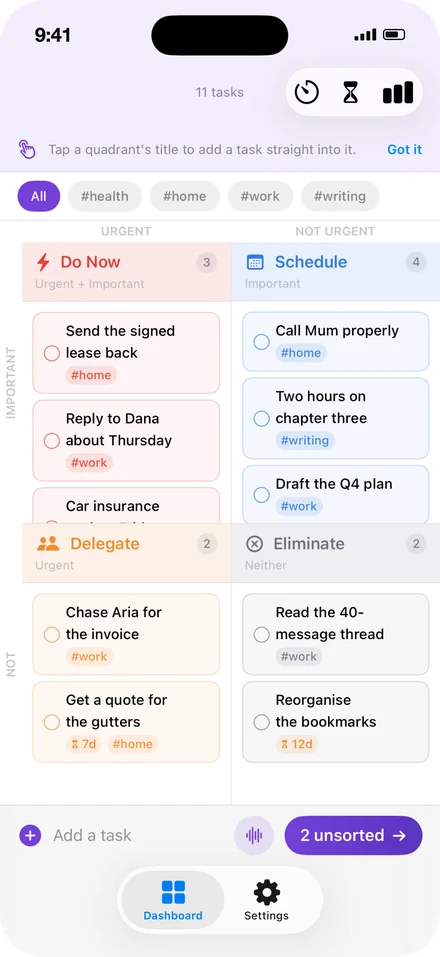
Every task lands in one of four places. You never choose the place — you answer two questions and the place follows.
questions per task. That is the entire input.
places it can land. You never choose one.
number for how much of the week you chose.
accounts. Sync runs through your own iCloud.
days a deleted task waits before it is gone.
The weekly review
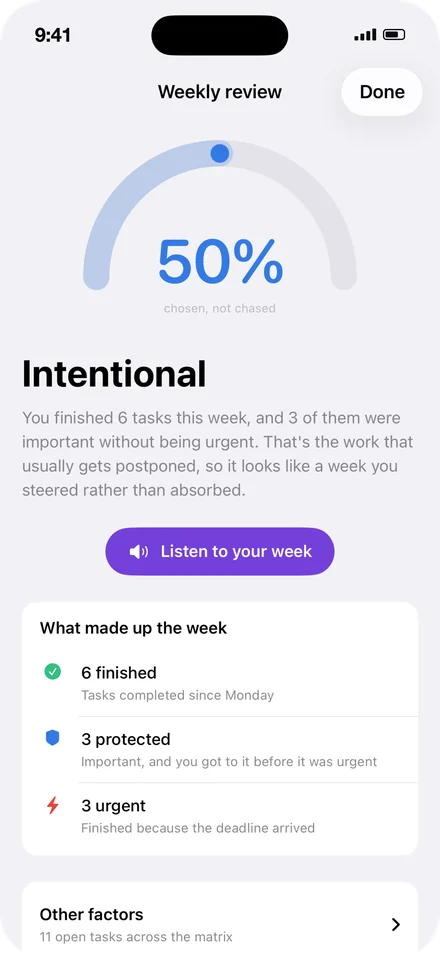
50%Chosen, not chased
Most task apps count what you finished.
The interesting question is what you finished instead. Taskrix scores every week on one thing: how much of it was important before it was urgent — work you got to on purpose, rather than work that arrived shouting.
It reads itself out loud, too, if you’d rather listen than look on a Sunday evening.
It takes three things.
Write it down
One tap, keyboard already up. Or tell Siri, without opening anything.
Answer twice
Important? Urgent? Two answers place it. Swipe them, or say them out loud.
See the week
One number for how much you chose. It moves, and you can watch it move.
Two questions
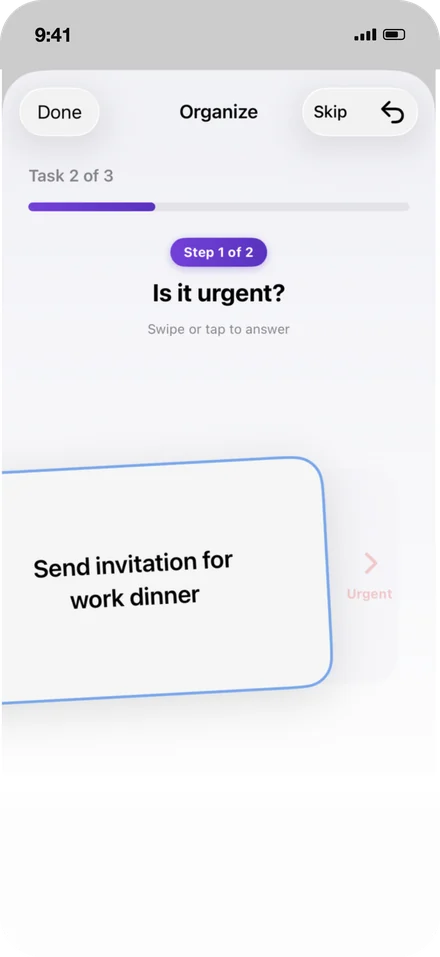
Sort a task in two swipes.
Is it important? Is it urgent? Everything else about a task — the project, the label, the priority flag you’d have agonised over — is a decision you no longer have to make.
Swipe left or right, or tap. Taskrix takes the two answers and puts the task where it belongs, then gets out of the way.
- Send the signed lease back
- Reply to Dana about Thursday
- Two hours on chapter three
- Call Mum properly
- Chase Aria for the invoice
- Get a quote for the gutters
- Read the 40-message thread
- Reorganise the bookmarks
The top-right box is the one that matters. It’s the work that never shouts, so it’s the work that quietly doesn’t happen.
Voice sortingPro
Sort a backlog while driving.
Tap the microphone and Taskrix reads each unsorted task aloud, then asks. You answer out loud. It moves to the next one.
Recognition happens entirely on your device. Nothing you say is recorded, stored, or sent anywhere — and the Yes and No buttons stay on screen the whole time, for the moments you can’t talk.
Across weeksPro
One week is noise. Eight is a pattern.
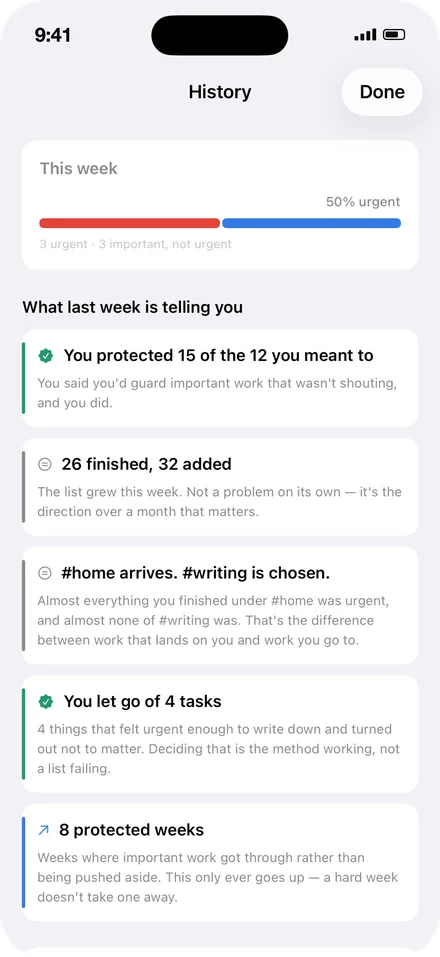
Taskrix keeps every week you’ve recorded and tells you what they add up to, in sentences rather than charts.
“#home arrives. #writing is chosen.”
Almost everything you finished under one tag was urgent, and almost none of the other was. That’s the difference between work that lands on you and work you go to.
“You let go of 4 tasks.”
Four things felt urgent enough to write down and turned out not to matter. Deciding that is the method working, not a list failing.
“8 protected weeks.”
Weeks where important work got through rather than being pushed aside. This only ever goes up — a hard week doesn’t take one away.
Focus
Protect the time you picked.
Choosing the right task is half of it. The other half is actually sitting with it. Pick a task, pick a length, and Taskrix counts down to nothing but the clock.
Ten, fifteen or twenty-five minutes free — forty-five, sixty and custom lengths with Pro, along with the different clock faces. Sessions, focus time and your day streak are kept for the week.
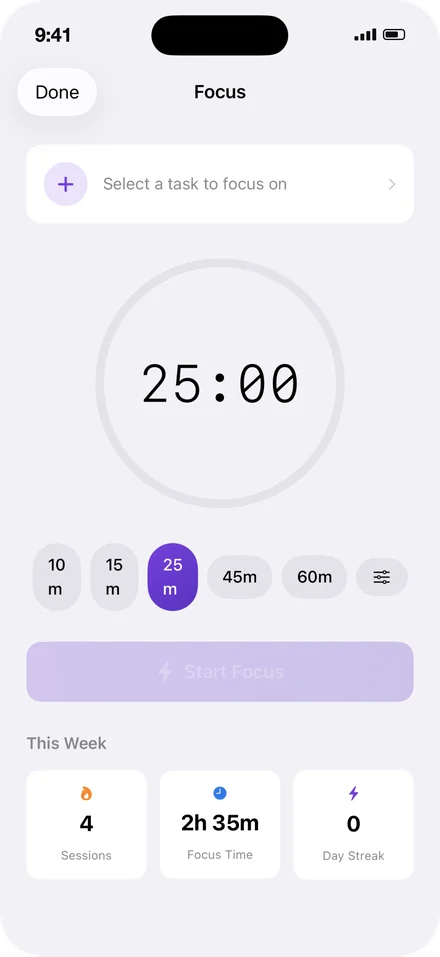
While a session runs there is nothing else on the screen. That is the whole feature.
Home screen
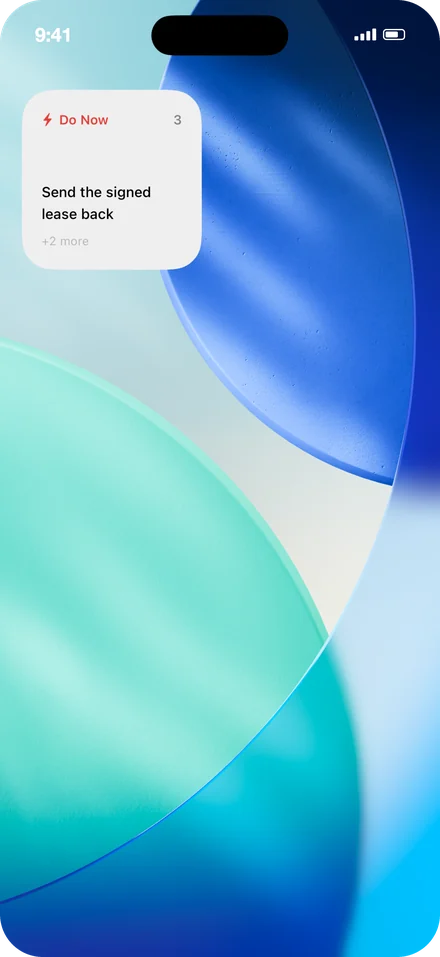
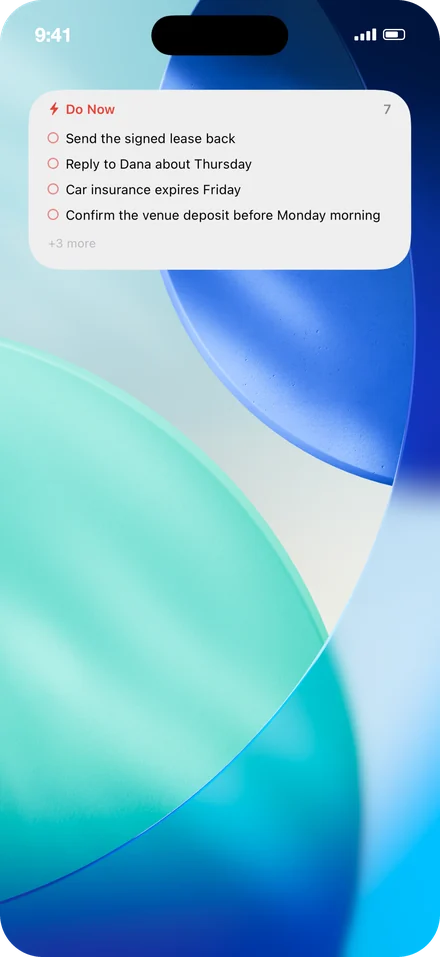
Do Now, without opening the app.
The urgent and important box, on your home screen, small or medium. Most days that’s the only part of Taskrix you need to see.
“Capture in Taskrix” adds a task through Siri from anywhere — locked phone, AirPods, CarPlay — and it lands in the unsorted pile waiting for its two questions.
What Taskrix doesn’t do
No one can see your tasks. Not as a promise — as a consequence of where they are kept.
There’s no account. Sync runs through your own iCloud, under your Apple Account, where there is no console on the other end and no way in. Voice recognition happens on your phone and nothing you say is recorded. Nothing you write, say or tag ever reaches the developer.
Through version 1.2 this said your tasks never left your phone. Sync changed that, so the wording changed too — they travel now, but they travel to your account rather than anyone else’s.
The app does send anonymous counts of which features get used, so it’s clear what to build next and what to leave alone. Nothing you typed, nothing you said, no advertising identifier, and nothing that could name you. The privacy policy sets out exactly what is collected rather than just promising it’s harmless — including what changed in 2.1, when measuring whether people come back meant accepting a random per-install identifier that earlier versions didn’t have.
Free and Pro
The method is free. Pro is for the history it builds.
You can sort tasks, run the matrix, use the widget and see your weekly score without paying anything, forever.
Free
$0
No account, no trial, no card.
- The matrix and two-question sortingSwipe or tap, as many tasks as you like
- Your weekly scoreHow much of the week you chose, every Sunday
- The Do Now widget and Siri captureSmall and medium, hands-free adding
- iCloud sync across your devicesThrough your own Apple Account
- Focus sessions up to 25 minutesTen, fifteen and twenty-five
- Thirty days of second chancesDeleted tasks wait in Recently Deleted
Taskrix Pro
7 days free
Then $2.99 a month. Cancel any time.
- Weekly intentionsSay what you’ll protect, then find out how it went
- Sort by voiceTaskrix asks, you answer yes or no — hands free
- What your weeks are telling youWhich work gets done, which waits, and what that costs
- Unlimited tagsKeep work, personal and anything else apart
- Your full historyEvery week you’ve tracked, and how far you’ve come
- Longer focus sessions45 and 60 minutes, custom lengths, clock styles
Pro only makes sense once there are a few weeks behind you, so the app waits until then to mention it.
- Requires
- iOS 26.5 or later
- iPadOS 26.5 or later
- Devices
- iPhone and iPad
- Apple Watch in development
- Price
- Free
- Pro is 7 days free, then $2.99 a month, cancel any time
- Widget
- Small and medium
- Siri capture from anywhere
- Sync
- iCloud, under your Apple Account
- No account to create
- Voice
- Recognition on device
- Nothing recorded or sent
- Version
- 2.0
Taskrix on Apple Watch
Your score on your wrist, and the whole two-question sort without reaching for a phone at all. Raise your wrist, hear the task, answer it, move on.
In development, and included in Pro when it arrives at no extra cost.
Find out where your week actually went.
iPhone and iPad. Free to use — Pro is 7 days free, then $2.99 a month.